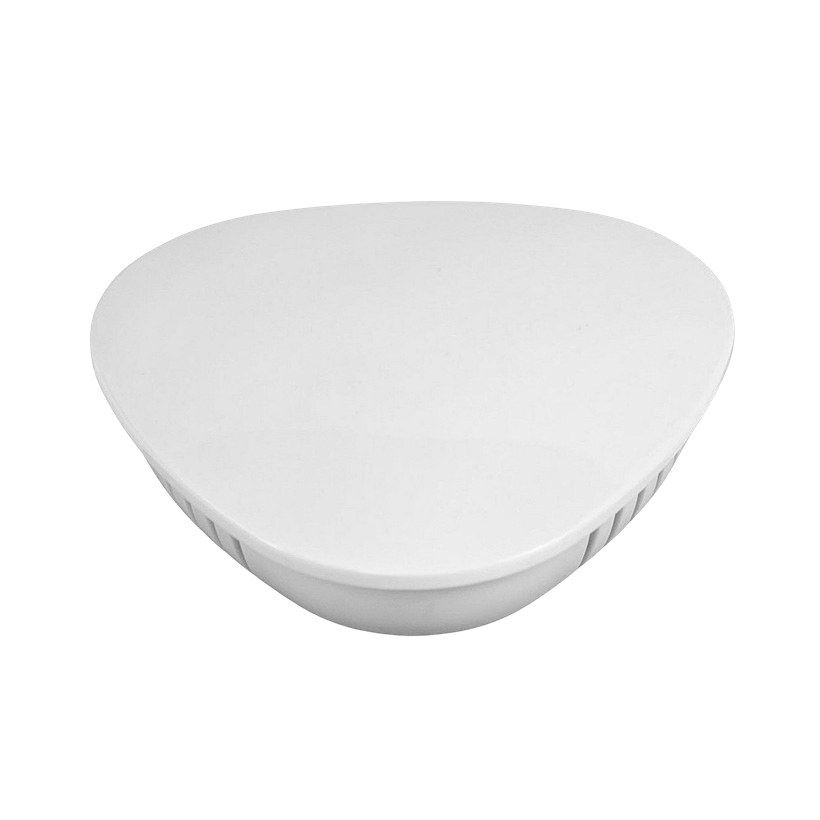
Central gateway that manages scenes and operating schedules, with Ethernet and Wi-Fi connectivity.
Item
Detail
Model
MCE LITE
Category
Central hub
02 Features
A central controller designed to connect to the Internet, allowing every device in the system to be controlled remotely from a smartphone.
Stores automation configurations, preset smart scenes and operating schedules, and manages and controls the hardware devices in the system.
Built-in Raptortron Mesh wireless technology for seamless connection to all Raptortron smart home products.
Two Internet connection methods: an RJ45 Ethernet port and built-in Wi-Fi.
03 Technical specifications
01 Design & dimensions
Specification
Value
Housing colour
White
Dimensions
120mm x 120mm x 36mm
Device type
Smart home central controller
02 Control interface
Specification
Value
Control interface
01 setup/reset button
Display
None
03 Power & protection
Specification
Value
Input voltage
12VDC ~ 24VDC - 1A
Standby power consumption
< 1.5W
04 Connectivity
Specification
Value
Network interface
Ethernet RJ45 and Wi-Fi, DHCP supported
Network protocol
TCP/IP Client
Cloud integration
Built in
Wireless communication
Raptortron Mesh
Wireless range
100m open air / 30m indoor / through up to 02 reinforced concrete floors
05 System management
Specification
Value
Device management capacity
50 RE4 / 30 RE3 / 30 RE2 / 20 SB6 / 15 DI2 / 10 IR / 30 DC / 20 REM / 20 SE / 5 ALE / 30 SO / 4 BSP / 6 RGB / 20 DSE / 20 PIR / 15 DI1 / 2 IF / 20 DL / 15 DR2 / 15 DC2 / 10 IR1 / 10 AC / 8 EM / 2 WI
Scene management capacity
Up to 64 scenes
Schedule management
04 time slots combined with days of the week for each scene
06 Indicators & alerts
Specification
Value
Status indicators
Ethernet / Wi-Fi / Cloud
Audible alert
Buzzer
04 Installation guide
In the box
Raptortron central hub (gateway)
DC power adapter
Ethernet network cable
Quick guide & warranty card
Installation steps
Choose a location. Place the central hub in a central position in the home, away from metal obstructions and high-power transmitting devices.
Connect the power. Plug the adapter into the central hub, then into a power outlet. The power LED turns blue.
Connect to the network. Plug the Ethernet cable from the central hub into a LAN port of the router. The status LED blinks while the hub is starting up.
Wait for start-up. Wait 30-60 seconds for the central hub to finish starting up; the LED turns steady when it is ready.
05 Connection guide
Preparation
Raptortron smart switch
1 central hub with an Internet connection
Raptortron app already connected to the central controller (make sure the phone and the central controller are on the same Internet network)
Download the Raptortron app for Android or iOS.
Wi-Fi connection guide for the triangle central hub
1. On the MCE LITE device
First, power up the central hub.
Press and hold. Using a thin pin, press and hold the button on the bottom of the device until you hear 2 beeps.
2. In the Raptortron app
Open the Wi-Fi settings and connect to the network named "ACIS_AP_xxxxxxxx".
Open the Raptortron app, select "Help", then select "Set up and connect the central hub Wi-Fi".
Select "Access point", then enter the correct name and password of your home Wi-Fi.
Note: the central hub then beeps and the light turns blue, which means the setup is complete.
06 Safety notes
Use only a power supply that matches the technical specifications in this document. Using the wrong power supply can damage the device and be dangerous.
Do not open or repair the device while it is powered. All electrical wiring must be done by a qualified electrician.
Keep the device in a dry place, away from direct water splashes (except models explicitly rated as water-resistant, IP xx).
The product is covered by the official Raptortron warranty policy. Please keep your purchase invoice for the best support.
Raptortron MCE Lite user manual. English edition translated in full from the manufacturer's original manual. Specifications are subject to change as firmware and hardware are refined; the product page lists the current data. Questions: contact Raptortron.